

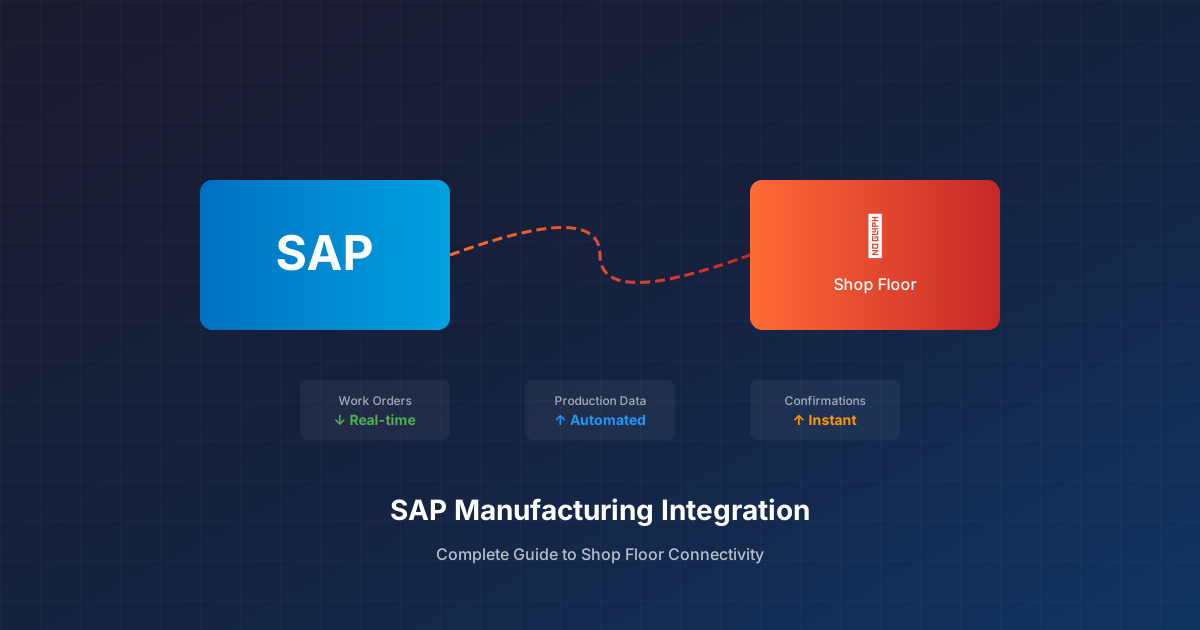
Why SAP Manufacturing Integration Matters
SAP runs the back office for thousands of manufacturers worldwide. SAP ERP manages financials, materials, procurement, and planning. SAP S/4HANA promises real-time insights. But here’s the problem: SAP knows what should happen on the shop floor, not what actually happens.
The production reality lives in other systems—MES platforms tracking work orders, historians logging process data, quality systems recording inspections. Until SAP connects to these systems, you’re running your business on delayed, incomplete information.
SAP manufacturing integration bridges this gap. Done right, it gives you:
- Real-time production visibility in SAP
- Automatic goods movements and confirmations
- Accurate costing based on actual consumption
- Quality data linked to production orders
Done poorly, it becomes a maintenance nightmare that breaks with every upgrade.
Common SAP Manufacturing Integration Scenarios
SAP to MES Integration
The most common integration need: connecting SAP production orders to MES work orders. Data flows both directions:
SAP → MES:
- Production order release
- Bill of materials
- Routing and operations
- Material availability
MES → SAP:
- Order confirmations
- Actual quantities produced
- Scrap and rework counts
- Labor time bookings
This integration eliminates manual transaction entry in SAP. When the shop floor completes an operation, the confirmation flows automatically—no re-keying, no delays, no errors.
SAP to Historian Integration
Process manufacturers often need to connect SAP to historians like OSIsoft PI or Aveva. Typical use cases:
- Batch records: Link process parameters to SAP batch numbers for traceability
- Quality correlation: Connect process data to quality outcomes
- Energy tracking: Allocate utility consumption to production orders
This integration supports compliance requirements (FDA 21 CFR Part 11, for example) by maintaining the connection between batch records and business transactions.
SAP to Quality System Integration
Quality data often lives outside SAP, in specialized QMS platforms or laboratory information systems. Integration scenarios include:
- Inspection results triggering SAP usage decisions
- Certificate of Analysis data populating SAP batch characteristics
- Non-conformance records linked to SAP quality notifications
Without integration, quality teams manually enter data in multiple systems—wasting time and creating discrepancy risk.
SAP Integration Methods: Options and Trade-offs
IDocs (Intermediate Documents)
SAP’s native message format for system-to-system communication. Pros: well-documented, supported by SAP, handles complex data structures. Cons: requires ABAP expertise, can be slow for high-volume transactions, limited real-time capability.
Best for: Batch-oriented integrations where near-real-time (minutes) is acceptable.
BAPIs and RFCs
SAP’s programmatic interfaces for real-time operations. Pros: immediate execution, transaction-level control. Cons: requires careful error handling, connection management, and SAP development skills.
Best for: Real-time integrations where immediate confirmation is required.
SAP Integration Suite / SAP BTP
SAP’s cloud integration platform. Pros: pre-built connectors, managed infrastructure, modern API support. Cons: subscription costs, cloud dependency, learning curve.
Best for: Organizations committed to SAP’s cloud strategy and integrating with cloud applications.
OData Services
RESTful APIs exposed by SAP S/4HANA and newer SAP systems. Pros: standard HTTP/JSON, easier for non-SAP developers. Cons: not all functionality exposed, may require custom CDS views.
Best for: Modern integrations with S/4HANA, especially for read operations and simple transactions.
Third-Party Integration Platforms
Middleware that abstracts SAP complexity and provides pre-built connectors. Pros: faster implementation, lower SAP expertise required, multi-system connectivity. Cons: additional platform to manage, license costs.
Best for: Organizations without deep SAP development resources or integrating multiple non-SAP systems.
SAP Manufacturing Integration Best Practices
1. Map Your Data Flows First
Before touching technology, document exactly what data needs to move:
- What triggers the data flow? (Event, schedule, manual?)
- What fields are required vs. optional?
- What transformations are needed?
- What happens when the target system is unavailable?
This mapping prevents scope creep and ensures you solve the actual business problem.
2. Handle Master Data Carefully
SAP integration often fails on master data mismatches. Material numbers, work centers, storage locations—these must align between systems. Establish:
- Which system is the master for each data element
- How new master data gets synchronized
- How to handle legacy data that doesn’t match
3. Design for Failure
Systems go down. Networks fail. SAP locks tables during month-end. Your integration must handle:
- Message queuing when targets are unavailable
- Retry logic with exponential backoff
- Dead letter handling for messages that can’t be processed
- Alerting when integration health degrades
4. Plan for SAP Upgrades
SAP upgrades can break integrations, especially those using undocumented features or direct database access. Protect yourself:
- Use supported APIs (BAPIs, IDocs, OData) rather than direct table access
- Test integrations in sandbox before production upgrades
- Maintain version documentation for troubleshooting
5. Monitor Actively
Don’t wait for users to report problems. Implement:
- Transaction volume monitoring (are expected messages flowing?)
- Error rate tracking (what percentage fail?)
- Latency measurement (how long from source to target?)
- Business metric validation (do SAP quantities match MES quantities?)
Common SAP Manufacturing Integration Challenges
Challenge: SAP Customizations
Most SAP implementations are heavily customized. Custom fields, modified transactions, industry-specific add-ons—all affect integration. Solution: inventory customizations early and design integrations to handle them.
Challenge: High Transaction Volumes
Busy plants generate thousands of transactions per hour. SAP can become a bottleneck if integrations aren’t designed for scale. Solution: batch confirmations where real-time isn’t required, use asynchronous patterns, optimize IDoc processing.
Challenge: Multiple SAP Instances
Large enterprises often run multiple SAP instances—by region, by business unit, by acquisition. Integrating shop floor systems to multiple SAP backends multiplies complexity. Solution: consider an integration layer that normalizes differences between SAP instances.
Challenge: Legacy Shop Floor Systems
Not every MES or historian has modern APIs. Some require file-based integration, database queries, or proprietary protocols. Solution: use integration platforms with broad connector libraries rather than custom development for each system.
Getting Started with SAP Manufacturing Integration
If you’re planning a SAP manufacturing integration project:
Inventory your systems: Document every system that touches production data. Include shadow IT and spreadsheets—they’re often filling integration gaps.
Prioritize by pain: Which missing integration causes the most manual work or data quality issues? Start there.
Validate data quality: Poor source data makes integration projects fail. Clean up master data alignment before connecting systems.
Choose the right pattern: Not every integration needs to be real-time. Match the integration approach to the business requirement.
Build monitoring from day one: You’ll thank yourself later when you can prove the integration is working—or quickly find out when it isn’t.
The Bottom Line
SAP manufacturing integration connects your business systems to production reality. When done well, it eliminates manual data entry, accelerates visibility, and improves data accuracy across the enterprise.
The key is approaching integration strategically—understanding your data flows, choosing appropriate methods, and designing for the long term rather than the quick fix.
Connecting SAP to your manufacturing systems? FactoryThread reaches any system with a REST, OData, or SOAP API — including ERPs we don’t list. See the connector list.